Labbook Dutch Nao Team
Error Reports
The head of Princess Beep Boop (Nao4) crashed twice when an ethernet cable was plucked in, but this problem disappeared after flashing. Seems OK 13 December 2016.
- Julia has a weak right shoulder (December 2016).
Bleu hips are squicking. Seems OK September 2015.
- Bleu sound falls away. Loose connector? September 2015.
- Nao's overheats faster when using arms than using legs.
Blue skulls is broken at the bottom: should remove its head any more.
Blue has a connector at the front which is no longer glued on position. Couldn't find a connector position.
Rouge has a broken finger at its left hand.
Barbie's head cannot boot or flashed
Barbie's ankle is open
Perry's body has a locked knee
Sam's left arm is lame
Started also a whIRLwind Labbook.
Labbook Dutch Nao Team
September 30, 2026
- Daphne is repaired at Albeda college. Showed an succesfull wake-up.
- Flashed Daphne's head. Still have to configure it with RobotSettings (to be done on the Open Day, this Saturday).
September 28, 2026
- Looking if I can pickup the repaired Perry's body. The head with Perry is silent, so I will take NaoQi flash-stick with me and Momo's head. Momo's head should have NaoQi, but when booting I only see a white flashing chest-button. Booting a second time, now it works, although the battery needs urgent charging. Tacking Momo's head with me.
- Lets try Ferb in parallel. Also says NockNock (and needs charging). Left Ferb in the lab.
September 10, 2026
July 16, 2026
- Made a runpy3.sh symbolic link in ~/scripts, but that didn't work, I should call ../.local/share/PackageManager/apps/python3nao/bin/runpy3.sh directly (or add that directory to my path).
- Both videoInput_getImage4.py and photoCapture.py work, but record_image_top4.py still gave:
frame = data_npyarr.reshape((h,w,3))
ValueError: cannot reshape array of size 703970 into shape (240,320,3)
- No idea why I made a sidestep to strings, using the raw-data buffer directly (as AI chat suggested) solved this issue: record_image_top5.py:
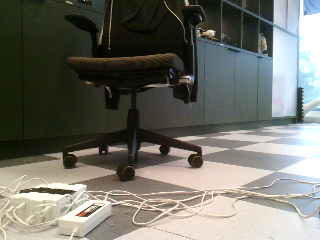
- The frame is now in cv2-format, so all cv2-function could be applied to image.
-
- Next test: Daphne's body with Perry's head.
- Both in Tai-Chi and Walking 1m Daphne needed a lot of support. Seems that the ankles are not that strong, she had the tendency to fall both forwards and backwards.
- Moos didn't want to boot - out of battery?
- Next test: Sam
- Tai-Chi fails on an error in the left arm (althoug that arm still moves, while the right arm freeses).
- Rebooted, but still same error with Walking 1m. Yet, the walk itself is OK.
- Found Appa, haven't checked its body's serial-number, but should be its own.
- Tested Appa with DNT code, walks OK
- Look if Moos battery recharges in 2h, otherwise switch with Perry's body/Barbie's head disfunctional combi.
-
- At the end changed the battery of Moos. Now he boots. Tested with Sam's head. Tai-Chi fails due to left-arm. Also tried own head. DNT boots, but complains that it cannot sense its feets. When activated, it started to complain about motor-malfunction and requires to brought to the Nao clinic.
July 14, 2026
- After Flashing to NaoQi, configured Ferb to connect to LAB42.
- Tested both Tai-Chi and Waking 1m, both OK.
- Looking if I could flash Barbie's head when on Perry's body.
- Now going to test Daphne's body with Perry's head. The wakeup routine is a bit shaky, Daphne needed quite some support. In Life I there is some ticking. Left leg gets warm very fast. Stiffness off, let it cool for a moment before testing further.
-
- In the mean time looking at the python3.5 installation on moos. Selected the python3nao package on January 29, 2025.
- Just wget https://bootstrap.pypa.io/get-pip.py didn't work (minimum version 3.10), but wget https://bootstrap.pypa.io/pip/3.5/get-pip.py did.
- Executing python3 get-pip.py installed pip3, setuptools and wheel.
- pip3 is installed in /home/nao/.local/bin/pip3. Yet, pip3 install qi cannot be found.
- Looking at guide-to-nao. That points to the python3nao package.
- Yet, /home/nao/.local/share/PackageManager/apps/python3nao/ doesn't exist.
- So the runpy.sh isn't there, but python3 should be able to load qi when the PYTHONPATH is correctly set (to /home/nao/.local/lib/python3.5/site-packages/). Yet, in that directory only pip, setuptools and wheel are present.
- Looked for a package like numpy, but only the python2.7 version was available.
- Also pip3 install qipkg didn't work.
- The pip package for qi seems to requre at least python3.7.
- The libqi is available on github. Yet, no cmake is available on the Nao Momo.
- Doing pip3 install numpy works, get v1.18.5.
- Looking at:
- /opt/aldebaran/var/www/apps
- /opt/aldebaran/share/naoqi/apps
- /data/home/nao/.local/share/naoqi/apps
- /data/home/nao/.local/share/PackageManager/apps
- No python3nao.pkg there.
- The update of python3nao was ready to be updated in RobotSettings. Couldn't update one-by-one, so updated all 41 packages. Checked the 2.8.7 release notes, but no difference indicated between 2.8.7.7 and 2.8.7.4.
- That works, I could run runpy3.sh which calls python3 (and pip3) in that same folder (v3.9.10). I could also do import qi.
- Also tried in the python3nao/bin folder pip3 install opencv-python, which tries to install v5.0.0.93, which fails because of incompatibility with the python version.
- Upgraded pip with ./python3.9 -m pip install --upgrade pip from 22.0.3 to 26.0.1.
- Tried to install the opencv version I used for BBR with ./python3.9 -m pip install opencv-python==4.2.0.32. The nearest available version are 3.4.18.65 and 4.3.0.38, but tried the last v4 version first: ./python3.9 -m pip install opencv-python==4.12.0.88.
- That fails, with the preferred version-markers for numpy at python 3.13
- Tried an older version, which has preferred version-markers for numpy at 3.5-3.7
- Tried an inbetween version with ./python3.9 -m pip install opencv-python==3.4.18.65, which goes well with numpy, but building the opencv-python itself fails on applying a patch.
- One version higher: ./python3.9 -m pip install opencv-python==4.3.0.38. That is back to numpy markers 3.5-3.7
- Simpson rule: ./python3.9 -m pip install opencv-python==4.5.5.64.
- Looking if doing the install inside the runpy3 environment works better, as specified at stackoverflow.
- Same result for version 5.0.0.93 as before.
- Trying >>>install("opencv-python==4.6.0.66"). Stil patches problem.
The program patch is not installed on the nao.
- Chat suggested ./python3.9 -m pip install --user --only-binary :all: "opencv-python-headless<5.0", which succeeded in install version 4.5.1.48.
- Inside ./runpy3.sh also import cv2 works.
- Tried if I can get it working.
- My old script record_image_top.py failed on missing ALVideoDevice.
- Same for the official script videoInput_getImage.py.
- Checked with qicli info --list, there is indeed no ALVideoDevice service running. Trying a reboot.
- After the reboot the VideoDevice service is there. Both scripts fail, because the official script still used the method subscribe() instead of the current subscribeCamera(). The other because something goes wrong with numpy coversion of the resolution.
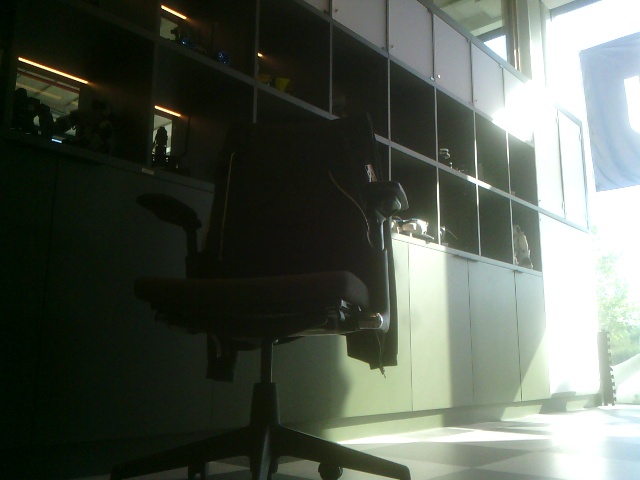
- Made a script photoCapture.py based on this naoqi tutorial. That works:
-
- There are several pkg available in /opt/aldebaran/share/naoqi/apps, but the installed just installed packages are in /opt/aldebaran/var/www/apps/.
- Yet, not as package, but as directory. The ownership of this directory is from user nao. Saved the directory as zip. Should be unzipped in /opt/aldebaran/var/www/apps/.
- On the nao, qicli is available, so I could do qicli call PackageManager.install /home/nao/my_behavior.pkg, yet qipkg is not available. Called qicli info PackageManager, but no command to create a package.
July 13, 2026
- Daphne's ankle is currently repaired at Albeda Rotterdam. Actually, its Daphne's head, but Barbie's body.
- Looking for Nao v6 which could be used for spare parts. According to the administration, Sam had in March 2026 an open ankle, and Barbie falls forwards.
- Sam is booting nicely, although it gives an error message on 6 of its devices (not the ankle, only foot-sensor and arms). Battery was empty, so have to recharge before I can continue. Sam's head was mounted on Ferb's head. Had a battery from 2023.
- Barbie doesn't want to boot (Red chest). Trying again, same body - Ferb's head. Ferb's head gives an scanning pattern in the eyes (DNT-code?), so try to again with Momo's head. Also battery gone before the system boots. Checked the serial number, it is actually also Momo's body. According to the admin, no problems expected. Had a battery from 2021.
- During the Social Robotics course in February, only Sam was used from the Nao v6, the other v6 were Femke and Jutta from the HvA.
- Ferb's head was mounted on the body of Sam, with a battery from Sep 2016.
- Barbie's head is mounted on the body of Perry, with a battery from June 2023.
- Moos's head is mounted on the body of Daphne, with an unmarked battery (Date Code 04/22)
- So, actually its Barbie's body that is currently under repair by Albeda.
- Swapping all heads back, except Daphne-body / Barbie-head.
- Sam doesn't boot
- Moos starts in blue flashing-mode, complaining about low-battery. Seems DNT-code.
- Perry boots in NaoQi mode. Gives yellow/white flashes on chest-button. The Perry-head indicates that it is back to factory settings. Connecting RobotSettings to Perry. Connected Perry to LAB42. Named the nao Perry again. 17% battery-level.
- Momo boots nicely in NaoQi. Gives green/white flashes on chest-button. Says fully charged, Choregraphe says the same.
Choregraphe says that it can't connect to the camera. Tested Tai-Chi, and walking one meter. Not bad. Some tendency to fall forwards in the beginning of Tai-Chi, but with some support both OK. Rebooting gave access to the camera again. Momo is an operational robot.
- Perry is now 31% charged, but don't get stiffness with Life or Wake-up. Trying to reboot. After reboot Life stands up, but one of the ankles has no power. No error-message, but clearly not good. Trying again, now in a better starting pose. Using reboot-box in Choregraphe, from programming options. Now Perry stands up, but directly looses stiffness due to a locked rigth-knee.
- Trying Perry-body with Momo-heads. Momo complains about a device wrong in left leg. RobotSettings indicate that there is a Software update available: from NaoQi version 2.8.7.4 to 2.8.7.7. Where is this update coming from? Aldebaran's servers are down.
- Ferb boots, but with its scanning behavior in the eyes. Doesn't stand up. Should try it with Momo's head. Also several dialog applications and even Python3 for Nao is available (v1.2.2). Seems that the update is performed. Doing a ssh to momo. Checking which python3: gives version 3.5.6. Yet, import qi fails because the PACKAGE_PATH is still /opt/aldebaran/lib/python2.7. There is a /opt/aldebaran/lib/naoqi and /opt/aldebaran/lib/qi, but that seems for python2.
- There is no pip3, /usr/bin/pip is the python 2.7 version.
- There is a /usr/lib/python3/site-packages, but no site-packages are installed there.
- Also with Momo's head Perry doesn't move. Gave it Barbie's head. Daphne has now Perry's head.
- Trying Ferb with Perry's head. Also had some problems with Life. Arms work, no power on legs.
- Still, Standup works when starting from a good position. Also Tai-Chi works fine. Perfect one meter walk. No idea why the neck is backwards. Neck back to normal when going to StandInit posture. Sitting down failed.
- Going to flash Ferb's head. Flashed, should configure its name tomorrow.
-
- According to the administration, Eve has a broken left knee. No error report for Wall-E. In January 8, 2019 Wall-E was still working. On June 29, 2021 Wall-E is marked with 'no stiffness right hip roll'.
April 10, 2026
- Worked on Synchronized dance on DNDD.
- Was able to dance first part of Vangalis with Mio, but Thriller failed.
- Tried Barbie, but that one was still not booting.
- Appa starts blue (DNT code)
- Trying Jerry. Connected Jerry to LAB42.
April 9, 2026
- Checked the code of DNDD synchronized dance. The errors are coming from NaoQi 1.4 calls, should use NaoQ 2.4 calls (for instance, getJointNames is depricated, instead I should use getBodyNames.
- Still, the wired ethernet issue is still there.
- Tried to setup a inet4 address via this tutorial, using netplan.
- I had already a configuration file /etc/netplan/01-network-manager-all.yaml.
- Specified dhcp4: yes. Installed netplan with sudo apt install netplan.io.
- Running sudo netplan try now made two ethernet connection visible. Tried to configure the Wired Connection 3 of eth0, which didn't solve the issue.
- Should try the other connection: enxc03ebabbdf3c.
- Manually setting the ethernet connection enxc03ebabbdf3c to ip 169.254.37.101 netmask 255.255.0.0 and gateway 269.254.37.1 solved it, I could ping and ssh Momo.
- Now also python2 short_test.py works.
April 7, 2026
April 1, 2026
- Trying again to test the script from native Ubuntu to Mio.
- Mio wasn´t connected to any wifi. Connected with the ethernet cable.
- Strange, Mio is connected, yet Ubuntu not. Could activate the interface with sudo ip link set eth0 up, but this gives only a inet6 address.
- Strange. Looked with sudo dmesg | tail, only see a segfault in pulsesecure.
-
March 26, 2026
- Have to look up the code of synchronized dance, which we performed on Dutch Nao Demo Day on May 28, 2011.
- Found the SimultaneousNaoControl on my Wintel-drive in folder activities/DNDD. The Usage_Notes indicate python2.6, and running main.py --nao IPADDRESS for each nao (not sure on each nao or as script).
- Lets test it on Mio.
- Connected Mio to iotroam, but my own latptop got a small submask. Couldn't ping mio. Switching to DNT_5G would be a good choice.
- For the moment trying the code. On WSL import naoqi fails for python2. No python2 under PowerShell, so switch no native Ubuntu partition.
-
- Could execute the code locally, but it just started a transportserver, no standup, no vangalis.
- Created a 'working' runpython.bat: runpython2.bat. Loads correct python2 and PYTHONPATH, yet fails on argparse (anaconda2\Lib\copy.
- Lets try again under native Ubuntu.
- Could start script. Added some print statements.
- Mio is added to list of nao's. Running it the 2nd time gave an error:
self.motion = ALProxy('ALMotion', ip, port): ALBroker::createBroker
Cannot connect to tcp://*:*
- To be continued.
February 25, 2026
- Barbie has not only problems with her hips, but also has problems with booting.
- Tried to find the ip via sudo nmap -sn 169.254.196.0/24, but under WSL I got Failed to open device eth0.
- nmap seems not to work correctly for WSL, so installed a Windows version from nmap.org.
- Windows has a nice gui, including a commandline option. The Target is filled in with the domain give as argument.
- Only one host was visible. Barbie chess-button was flashing red. Try to flash here.
February 24, 2026
- Switched to my Ubuntu 22.04 partition on nb-ros.
- Downloaded the choregraphe-suite from nao6-binaries.
- There is a in the choregraphe-suite-2.8.7.4-linux64 directory a script, which starts bin/choregraphe_launcher, after setting the SDK_DIR as environment variable.
- The launch fails on library mismatch: /choregraphe-suite-2.8.7.4-linux64/bin/../lib/libz.so.1: version `ZLIB_1.2.9' not found (required by /lib/x86_64-linux-gnu/libpng16.so.16).
- Will try Alex's answer.
- But first some updates.
- The file libz.so.1 points to ./libz.so.1.2.8 in the same directory.
- The file /lib/x86_64-linux-gnu/libz.so.1 points to libz.so.1.2.11
- Removed that symbolic link, and linked to the system version with ln -s /lib/x86_64-linux-gnu/libz.so.1.
- There are two version of python2 in the tt>/choregraphe-suite-2.8.7.4-linux64/bin/. python2 is version 2.7.8, python2.orig is version 2.7.18. Both could do import naoqi.
- Looked what is included, which is quite a list, including several /home/arnoud/packages/choregraphe-suite-2.8.7.4-linux64/lib/python2.7/lib-* directories. Also ~/.local/lib/python2.7/site-packages is included, but this doesn't contribute to naoqi, as far as I see.
- Tested all 4 Hello Worlds on Femke without problems.
- Also downloaded the Linux-version of RobotSettings. Femke had three languages (Dutch, English and German). Also Plural for Nao was installed. Updated that package to version 1.6.2 (that worked!)
- I don´t see any other apps installed on Femke, checking Jutta.
- No other apps at Jutta. Let the Plural for Nao update for the moment.
February 23, 2026
- Choregraphe comes including a python executable and library.
- At my Windows-partition the library can be found at C:\Packages\Aldebaran\ChoregrapheSuite2.8\lib\python2.7\Lib\site-packages.
- In my Windows command-prompt, I started C:\Packages\Aldebaran\ChoregrapheSuite2.8\bin\python.exe. That starts python version 2.7.16. Inside python I could do import naoqi, without setting the PYTHONPATH explicitly.
- When I check with import sys; print(sys.path), I see 'C:\\Packages\\pynaoqi-2.8.7.4\\lib'.
- When I only use that directory, I get the following error when doing import naoqi: No module named inspect.
- Tried to find where the insept is found. sys.path=['C:\\Packages\\pynaoqi-2.8.7.4\\lib', 'C:\\Programs\\Anaconda2\\Lib'] works, just like sys.path=['C:\\Packages\\Aldebaran\\ChoregrapheSuite2.8\\lib', 'C:\\Programs\\Anaconda2\\Lib'].
- Found the minimal setup that works: sys.path=['C:\\Packages\\Aldebaran\\ChoregrapheSuite2.8\\lib', 'C:\\Packages\\Aldebaran\\ChoregrapheSuite2.8\\lib\\python2.7\\Lib'].
-
- Downloaded the choregraphe-suite-2.8.7.4-win64-vs2015.zip. Unpacking gives a double choregraphe-suite-2.8.7.4-win64-vs2015 directory, one can be renamed Aldebaran.
- Started bin/choregraphe_launcher.exe, which gave some security warnings, but started fine enough.
- Also tried bin/python.exe, which also works when the >sys.path is set. Python also gave a security warning when import naoqi was performed.
- Tried Hello World 4 - using Python
- Without Nao, ALProxy also worked with ip 127.0.0.1. Unfortunatelly, no sound.
February 20, 2026
- Tested both Jutta and Femke with Tai-Chi. No problems there.
- Both robots are now connected to ROBOLAB_VAR.
- Switched Femke from Dutch to English language.
February 19, 2026
- The official Nao v6 software (NaoQi 2.8.6) can still be downloaded from Maxtronics.
February 18, 2026
- The download of the Linux version of RobotSettings (and some other packages) failed to download from Aldebaran France.
- A retry didn't help. Tried it from WSL and wget, but download is consistently stopped at 52%.
- Found a docker image, where the robot-settings-2.8.6.23-linux64-setup.run is part of the 1.4 GB image.
-
- Connected Choregraphe 2.5.10.7 with Jerry (#17). Choregraphe gives a warning that behaviors may work very strangly.
- Still, could connect via LAB42, perform a StandUp, TaiChi and SitDown. Jerry is in good condition.
- Also Mio (#15) pasted the TaiChi test succesfully, even with a low battery.
- Tom (#16) was without battery. Mounted the battery labeled 'UvA-1'.
February 17, 2026
- Also looking if more downloads can be found at the French support side of the Nao.
- Found Robot settings (v2.8.6.23) for all three OS.
February 16, 2026
- Found in overleaf the robot_guides from ZSB 2017.
- For software, the nao guide pointed to https://community.ald.softbankrobotics.com/, which no longer exists.
- The still accesable documentation points to https://developer.softbankrobotics.com/ which also no longer exist.
- Looked to an archived version of Developer Center.
- The documentation of Robot settings and the Choregraphe suite - Installation Guide still exist (Ubuntu 16.04 based).
- Found three versions of Linux setup (v1.2.1). The 2nd one is much larger, so saved that version.
- The choregraphe-suite-2.8.7.4-linux64.tar.gz was not archived by the Wayback machine.
- Luckely Aldebaran has published the Nao 6 binaries on github.
- There is also a Nao 5 resources page.
- Also note libqi-python, which is python3.7 based.
- Also note robot jumpstarter, an alternative for Choregraphe to build robot-apps (NaoQi 2.4 based, so only for Nao v5).
- For the Pepper I could only find jumpstarter and PDDL Playground.
- This is the new version of the guide: Using the Nao.
February 12, 2026
- Connected to Jerry, Nao v5 #17. Checked the connection wired, connecting to the webinterface. The Nao is running Naoqi v2.1.4.13. Could also connect to LAB42, with ip *.*.*.51.
- Logged in, there are several pkg available in /usr/share/naoqi/apps. Yet, the list is quite short:
- DefaultLaunchpadPlugins.pkg
- animation-mode.pkg
- animations.pkg
- auto-diagnostic.pkg
- boot-configuration-3.0.21.pkg
- system-2.1.0.pkg
- According to Administration Jerry was last tested in June 2021. Could perform Tai CHi with minimal support.
-
- Currently flashing Sam with NaoQi 2.8.7. Sam is one of the managed robots.
- The installed packages can be found on the robot on /home/nao/.local/share/PackageManager/apps/
Previous Labbook